If you’ve ever stood in an electronics store staring at TV screens, or walked past a retail display showing product ads, you’ve probably seen labels like “SD” and “HD” plastered on packaging or specs sheets. As someone who’s spent the last 12 years working as a digital display supplier—answering client calls at 9 a.m. about a retail window display, troubleshooting a corporate conference room monitor at 7 p.m., helping a school district pick the right screens for classrooms—I’ve lost count of how many times someone has asked me, “What’s the actual difference between standard definition and high definition?” It’s not just a matter of bigger numbers on a spec sheet; it impacts everything from a customer’s in-store shopping experience to how clearly a surgeon can see an MRI on an operating room screen. Let’s break this down the way I do with my team every time we walk through a quote. Digital Display
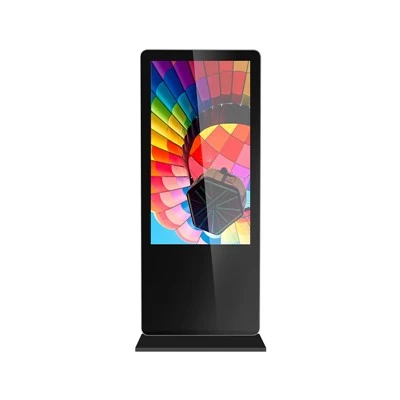
First, let’s start with the basics: pixels. Every digital display is made up of tiny, individual light points called pixels—short for “picture elements.” The more pixels a screen has, the more detail it can show. Standard definition (SD) and high definition (HD) are both terms that refer to how many of these pixels are packed into a screen’s frame, measured by width and height. For SD, the most common resolution you’ll still see referenced is 480p for most consumer displays, and 576p for broadcast TV in parts of Europe, Australia, and other regions that use PAL signal standards. A 480p screen has 852 horizontal pixels and 480 vertical pixels, for a total of roughly 410,000 pixels. That might sound like a lot—until you compare it to HD. The first level of HD, often called 720p or “HD Ready,” has 1280 horizontal pixels and 720 vertical pixels, totaling about 921,600 pixels. That’s more than twice as many pixels as 480p. Then there’s full HD, or 1080p, which is 1920×1080, coming in at just over 2 million pixels—almost five times the detail of standard definition.
It’s easy to write off pixel count as just a marketing stat, but that detail translates directly to what a viewer actually sees. Take a retail store window, for example. If you’re running a digital ad for a new pair of sneakers on a 55-inch SD screen, the logo on the shoe might look crisp from 5 feet away, but stand 2 feet away, and you’ll see gaps in the design, soft edges, and maybe even faint lines between pixels. On the same size HD screen, those lines disappear, the logo looks sharp, and small details like stitching on the shoe or the texture of the material pop. That’s not just aesthetics—for a brand trying to convince a customer to buy a product, those small details matter. When a product looks clear and polished, it feels more high-quality, which can lead to higher conversion rates. I’ve had a few small boutique clients come to us last year complaining that their old SD displays weren’t driving foot traffic, and switching to full HD screens bumped their ad engagement by 30%—that’s a real number I saw in their sales data, not a marketing stat.
Another big difference is signal compatibility. Digital displays don’t work in a vacuum; they rely on signals from sources like Blu-ray players, cable boxes, computers, or cameras to show images. SD signals were standardized decades ago, back when analog TV was still common. They use a lower bandwidth, which means they can work with older equipment, but they also cap the amount of data they can send. That means if you hook an HD source—like a 1080p laptop—to an SD screen, the screen has to “downscale” the image, shrinking all those extra HD pixels to fit into its smaller pixel count. That doesn’t just make the image blurry; it can cause artifacts like blocky shapes around objects or weird color banding, where smooth gradients turn into distinct steps of color.
HD signals, on the other hand, use higher bandwidth, which means they can carry far more data. That’s why you can’t run an HD screen with an old analog cable box—they’re not compatible. For most of our clients, that’s a good thing. If you’re a corporate office putting up digital signs for employee meetings, you need to hook up your company’s presentation laptop to the screen. An SD screen would downscale that presentation, making small text hard to read from the back of the room. An HD screen keeps the text sharp, so even someone in the last row can make out bullet points. I worked with a hospital last quarter that was upgrading their waiting room displays—their old SD screens made patient appointment times hard to read for visitors standing a few feet back. Swapping to full HD fixed that, and the front desk staff told us people stopped asking them to repeat appointments nearly as much.
Wait, but what about 4K? I get this question all the time, because a lot of people group 4K in with HD. It’s a common mix-up. Standard definition is the lower baseline, high definition covers up to 1080p, and 4K (also called Ultra HD, or UHD) is a step above full HD, with 3840×2160 pixels—four times as many as 1080p. For most of my clients, 1080p full HD is more than enough. If you’re putting up a small digital sign in a coffee shop that only people view from 3 to 5 feet away, 4K might be overkill—you won’t notice the extra detail, and it will cost more. But for larger displays, like a 75-inch screen in a sports bar or a museum wall where people are standing closer, 4K makes sense. But that’s a separate conversation from SD vs. HD.
There’s also a less talked-about factor: color accuracy and contrast ratio. SD screens, even modern SD displays, usually have a lower contrast ratio—meaning the difference between the brightest white and darkest black is smaller. That makes images look washed out, even if the pixels are technically “enough.” HD screens, especially modern ones, have way better contrast ratios, so black areas look deep and true, not gray, and colors are more vibrant. I tested this myself last year when I had an extra SD and full HD screen at my shop. I played a nature video on both: the SD screen’s sky was a pale grayish-blue, while the HD screen’s sky was a bright, clear blue, and the green trees looked rich, not faded. For a landscaping company using digital displays to show their projects, that difference could make a big impact on how customers perceive their work.
But here’s the thing: SD still has a place. It’s not entirely obsolete. If you’re using a display for a simple, low-cost application where image quality isn’t the top priority—like a small sign in a storage facility that just needs to show a room number, or a basic monitor for a home office that only uses it for email—SD works. It’s cheaper, uses less power, and is compatible with older equipment. But for any display where you want to show clear, detailed, engaging images—retail ads, corporate presentations, educational content, medical displays—HD is the way to go.
I see a lot of suppliers oversimplify this, saying “SD is old, HD is new,” but it’s not that black and white. It’s about matching the display to the use case. A few months back, a school district reached out asking for 20 displays for their elementary classrooms. The budget was tight, and most of the content they’d be showing was worksheets and videos from educational sites that are available in HD now. We recommended full HD screens—they were a little more expensive than SD, but the teachers told us later that students could read the text on the screens from the back of the classroom, something they couldn’t do on their old SD monitors. The district saved money in the long run because they didn’t have to replace the screens a year later when they updated their curriculum to HD content.
Another common misconception is that screen size alone makes a difference. A 55-inch SD screen will look blurrier than a 32-inch SD screen, just like a 55-inch HD screen will look sharper than a 32-inch HD screen, but the core pixel count difference remains the same. I had a client who tried to cut costs by buying a 65-inch SD screen for their retail window, thinking bigger would mean more visibility. It didn’t—customers walked by and said the image looked grainy and unprofessional. Swapping it for a 55-inch full HD screen, same price point, made the display stand out. That’s a mistake I see a lot, and it’s why I always walk clients through both size and resolution, not just one or the other.
So, to circle back: the key differences between SD and HD boil down to four main points. First, pixel count: HD has 2 to 5 times as many pixels as standard definition, leading to sharper details. Second, signal compatibility: HD requires higher-bandwidth signals, so SD screens can’t take full advantage of modern HD sources without downscaling. Third, visual quality: HD has better contrast, color accuracy, and clarity, even from typical viewing distances. Fourth, use case fit: SD works for simple, low-priority applications, while HD is better for any display where image quality matters.
If you’re in the market for a digital display—whether it’s for a retail store, office, classroom, or any other space—and you’re not sure which resolution is right for you, my team is here to walk you through it. We don’t push the most expensive option just because it’s trendy; we look at what you need the display to do, where it’s going to be, and what content you’ll be showing. We’ve worked with small businesses, large corporations, nonprofits, and schools, so we know how to match the right display to your needs.
If you’d like to talk through your specific project, feel free to reach out. We’d be happy to answer your questions, share more examples of how resolution impacts display performance, and put together a quote that fits your budget.
Indoor Digital Signage References
- International Telecommunication Union. (2012). Recommendation ITU-R BT.709-6: Parameter values for the HDTV standards for production and international programme exchange.
- Consumer Electronics Association. (2008). CEA-861-D: Digital display interface standard for high-definition and digital televisions.
- Society of Motion Picture and Television Engineers. (2019). SMPTE ST 428-1: Digital cinema master image compression.
- Display Supply Chain Consultants. (2023). Global Digital Display Market Report: Resolution Segment Analysis.
Shanghai Vestouch Electronics Co., Ltd.
We are one of the most professional digital display manufacturers and suppliers in China, also support customized service. Please feel free to wholesale bulk advanced digital display in stock here from our factory. Welcome to contact us for quotation.
Address: Building 8, No.1098 Chuansha Road, Pudong New Area, Shanghai.
E-mail: yihong@vestouch.com
WebSite: https://www.cnvestouch.com/
